
April 2025
CRM Updates & Enhancements
New dynamic home page banner
- The home page banner is no longer locked at the top of your page when you scroll through the default home screen or a dashboard.

View menu & icon improvements
- The View Menu now has a wider curser boarder to prevent the options ‘disappearing’
- Menu icons now stay the same instead of showing a ‘X’ when you open the item or hover over it
More bulk replace options available in Accounts
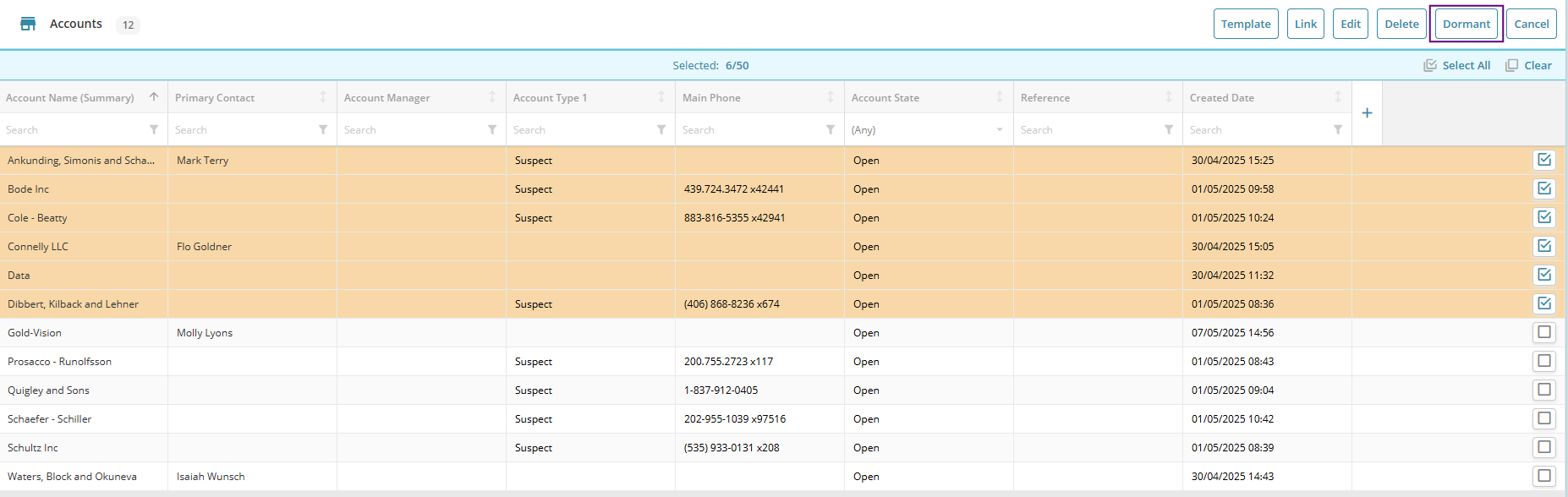
- Users can now use the Bulk Replace tool to make multiple Accounts dormant at once.
- The ‘Support Manager’ and ‘Discount’ fields available against Accounts can now also be updated via the bulk replace tool.
New CRM Features
Set a Dashboard as a Home Page
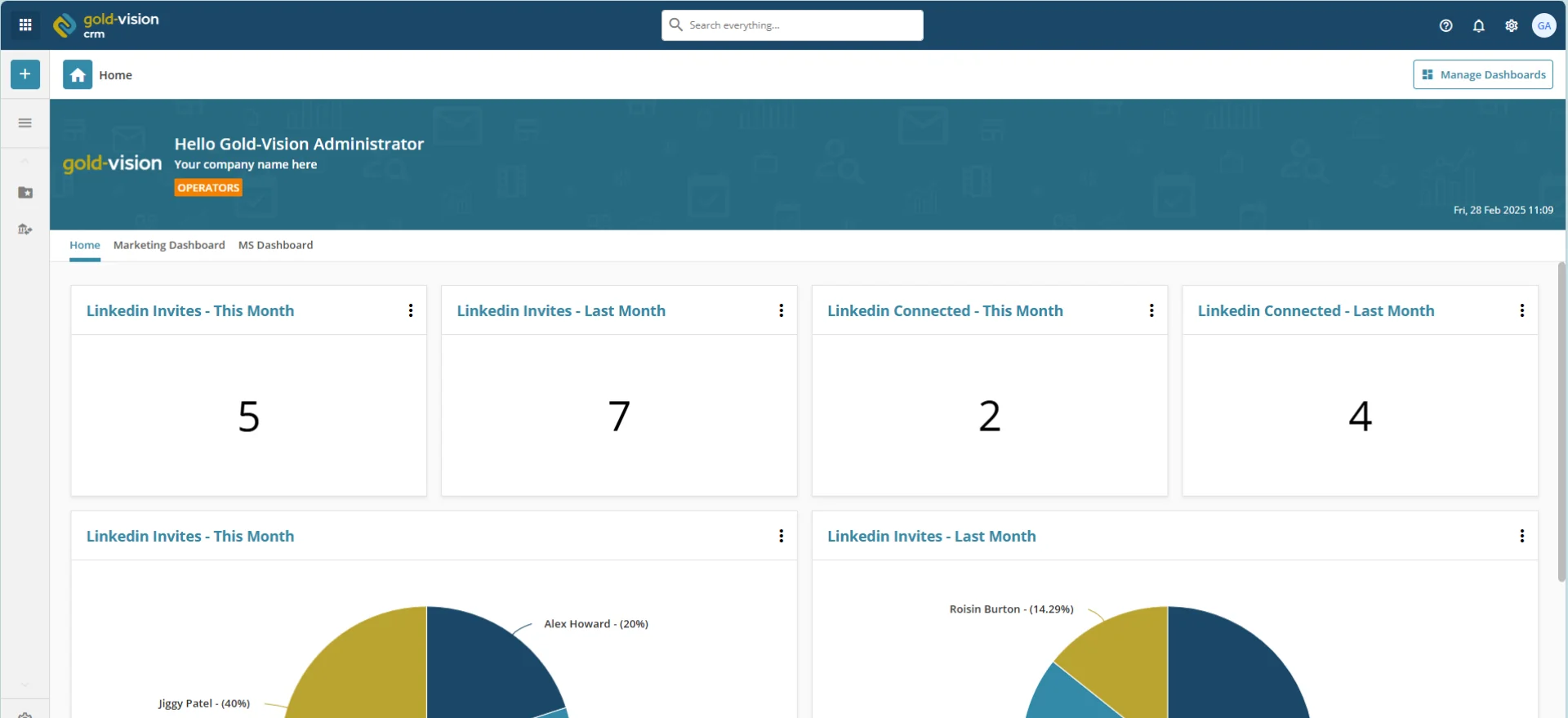
- You can now replace the default Gold-Vision Home Page with a Dashboard of your choice
- Each user has the option to pick their own Dashboard to set as their Home Page, or can leave it as the default option
Lead notes promote to Contact notes
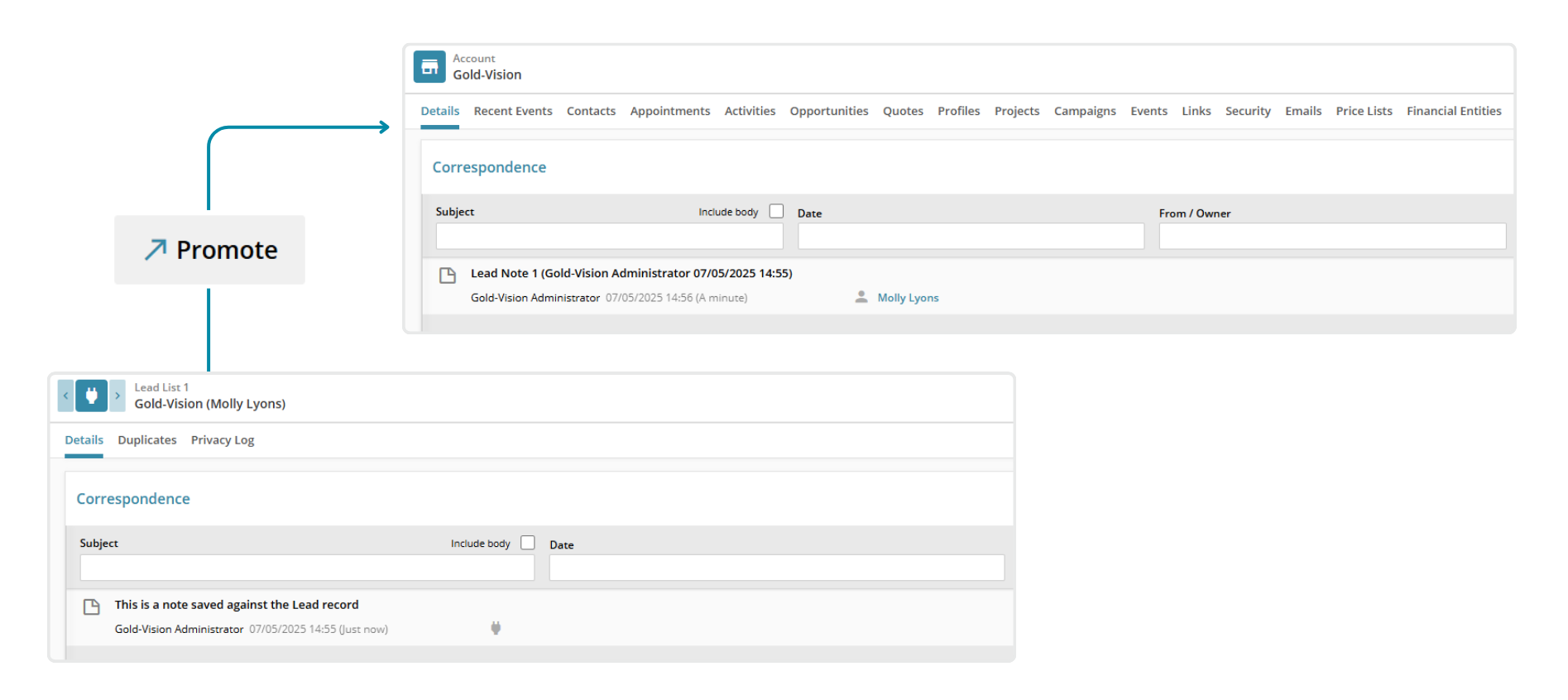
- When a user promotes a Lead, any notes included in the Correspondence area against the record will be promoted to the Contact and Account level.
Lead end points & payload visible from the Lead List screen
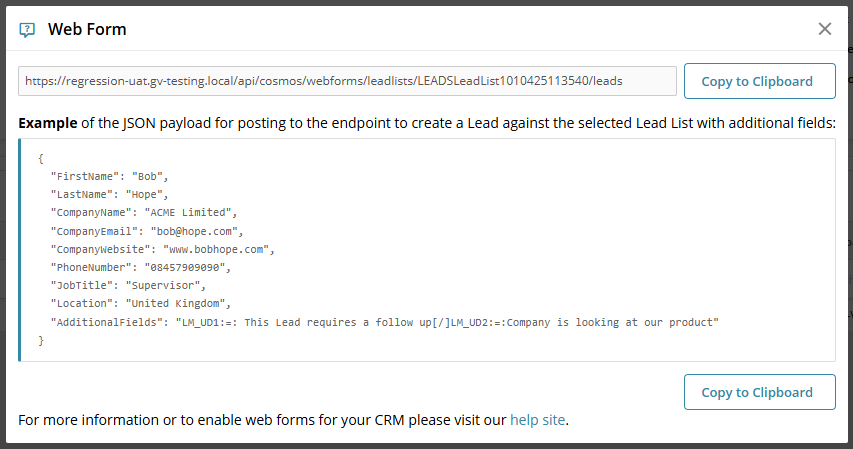
- For customers who use the Gold-Vision Web Form Integration, it is now easier to generate end points and JSON payloads for your website forms
- Selecting the ‘Web Form’ icon will give you the API link for your website forms, as well as an example of the JSON payload format