
Microsoft Teams Integration Overview

Gold-Vision’s Microsoft Teams integration brings your meetings and your CRM closer together — so the conversations that matter most are always connected to the right account, contact, or opportunity.
Teams Integration for Gold-Vision CRM
Microsoft Teams is already at the heart of how most businesses communicate. Gold-Vision’s integration means your team can schedule and join Teams meetings directly from within their CRM, without switching between applications.
Whether you’re preparing for a discovery call, a demo, or a project review, everything you need is in one place — and everything that happens in the meeting flows straight back into Gold-Vision automatically.
Create and join meetings from CRM
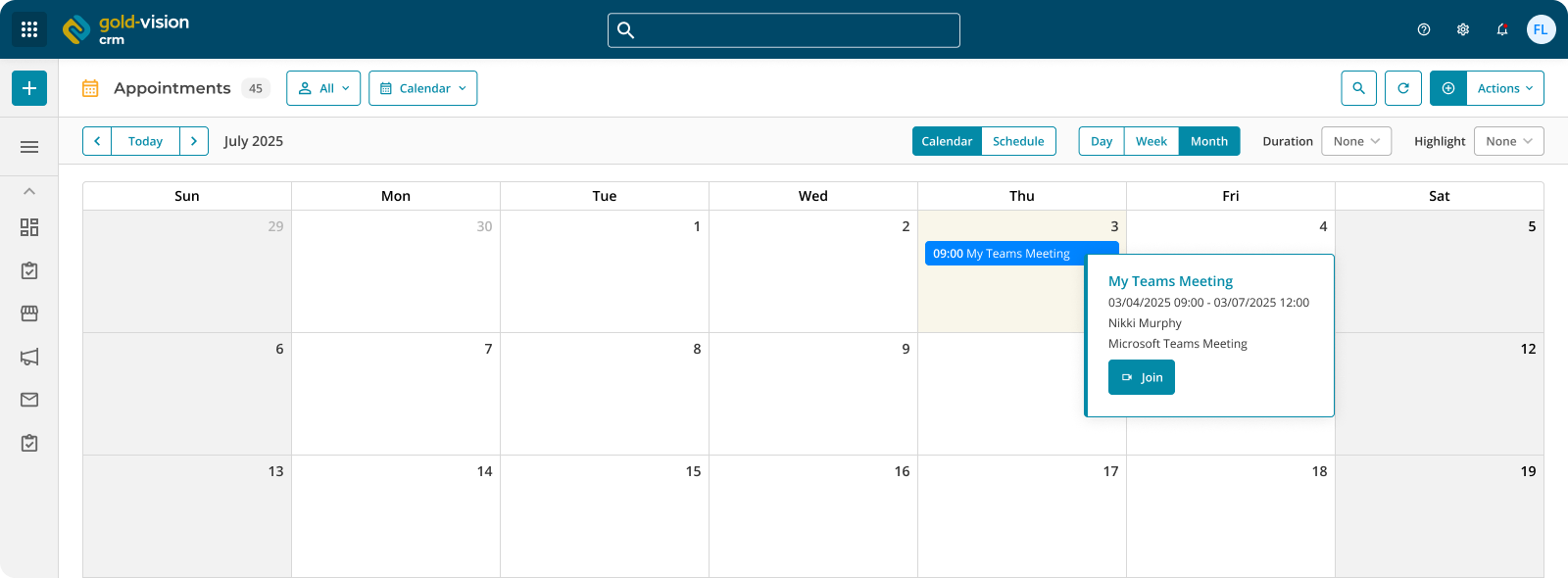
Schedule a Teams meeting directly from a Gold-Vision record and share the link with attendees without leaving the CRM. When it’s time to join, do so in a single click. No copying links, no switching tabs.
Turn attendees into contacts
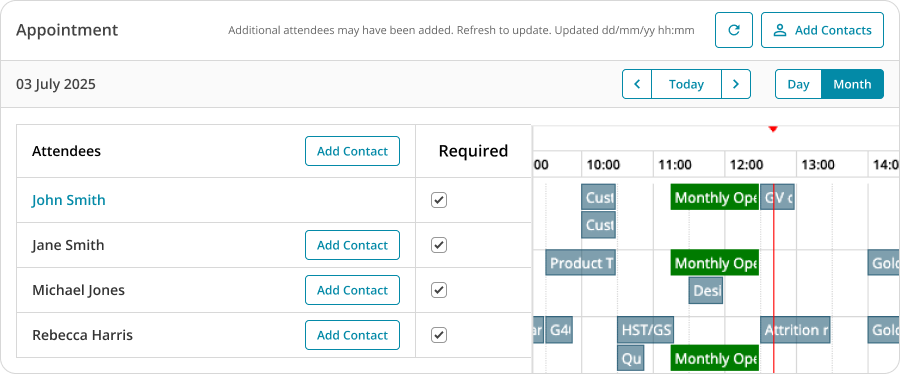
After a meeting, Gold-Vision can create new contacts from the attendee list automatically. Whether it’s a prospect joining for the first time or a new stakeholder at an existing account, the CRM stays up to date without any manual data entry.
AI-generated meeting summaries
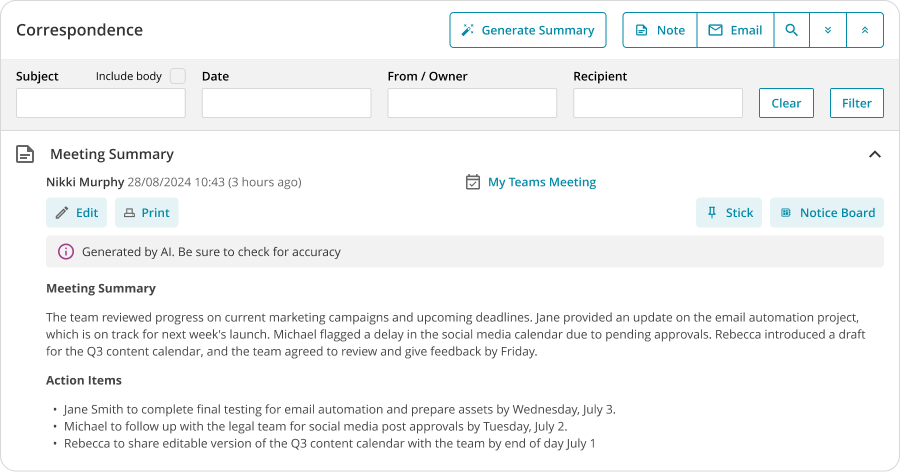
Once a meeting ends, Gold-Vision uses the Teams transcript to generate an AI-written summary and pushes it directly into the notes against the relevant CRM record. Key discussion points, actions, and outcomes are captured and stored where your team can find them — automatically, and without anyone having to write up their notes.
3 Key Benefits of our Teams Integration
- Meetings in one place – create and launch Teams meetings directly from Gold-Vision records, keeping your CRM as the single hub for customer activity rather than an afterthought.
- Automatic contact creation – meeting attendees can be added as contacts in Gold-Vision straight from the meeting record, so new relationships are captured the moment they happen.
- AI meeting notes – transcripts are processed automatically to produce a clear, structured summary that’s saved as a note in Gold-Vision, giving your whole team visibility of what was discussed and agreed.
Setting up the Teams Integration
If you are interested in setting up an Teams integration for your business, please ask your IT department to follow the instructions on Configuring Microsoft Teams.
If you would like to explore Gold-Vision sending messages to Teams, request a FuseAI consultation; we would be happy to explore your requirements.
 Related articles