
Notes/Threads Feature Improvement
Based on your feedback we are in the process of looking at improvements to Notes, which you see in the Correspondence section throughout Gold-Vision.
When you use Notes a lot – like we do – the list can get unwieldy with large numbers of Notes, so we’re proposing Note replies to display your conversations in an indented thread.
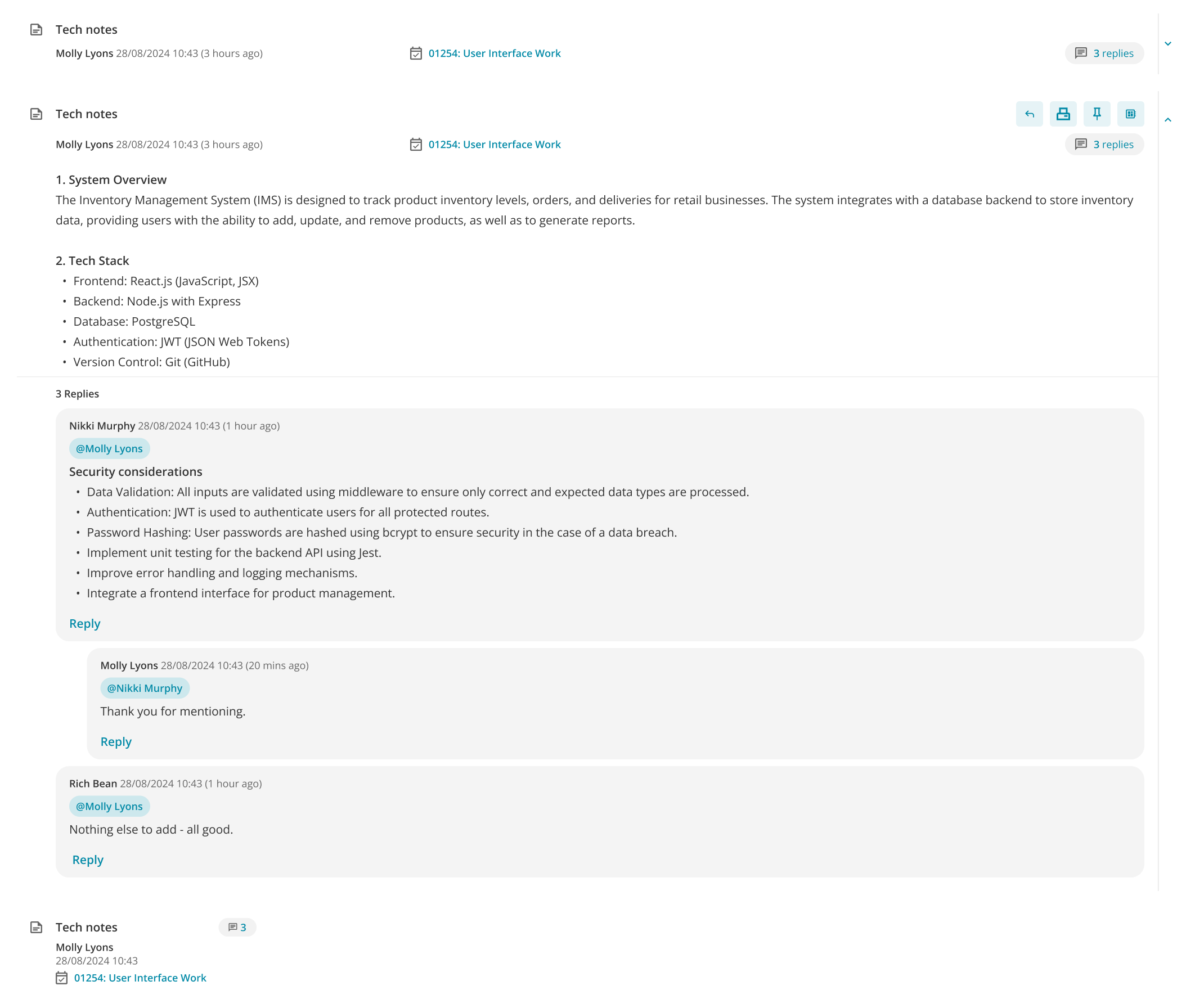
You will be able to use @ to quickly tag your colleague to be sent a copy of the note, and see the number of replies to a Note in the list:
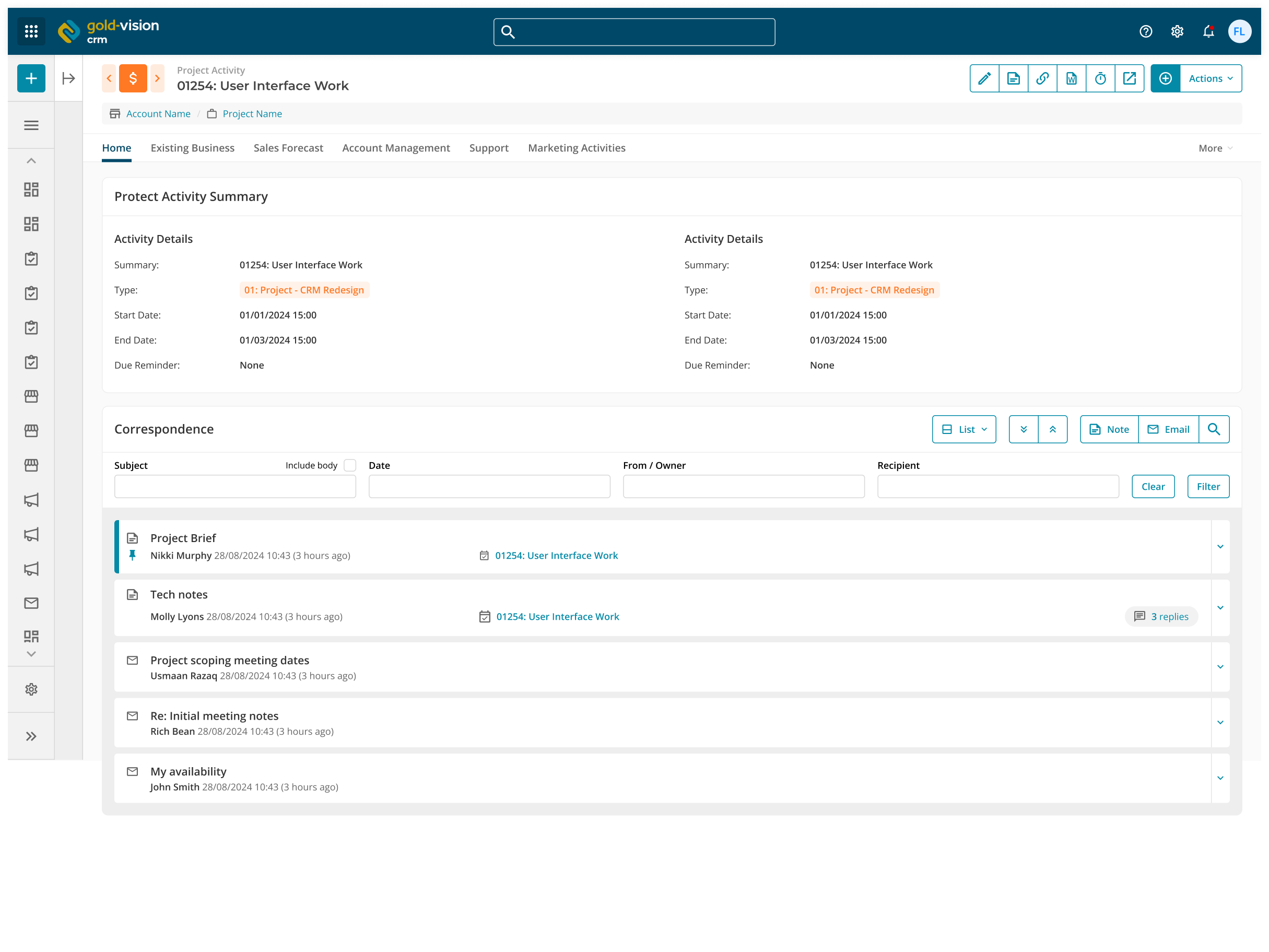
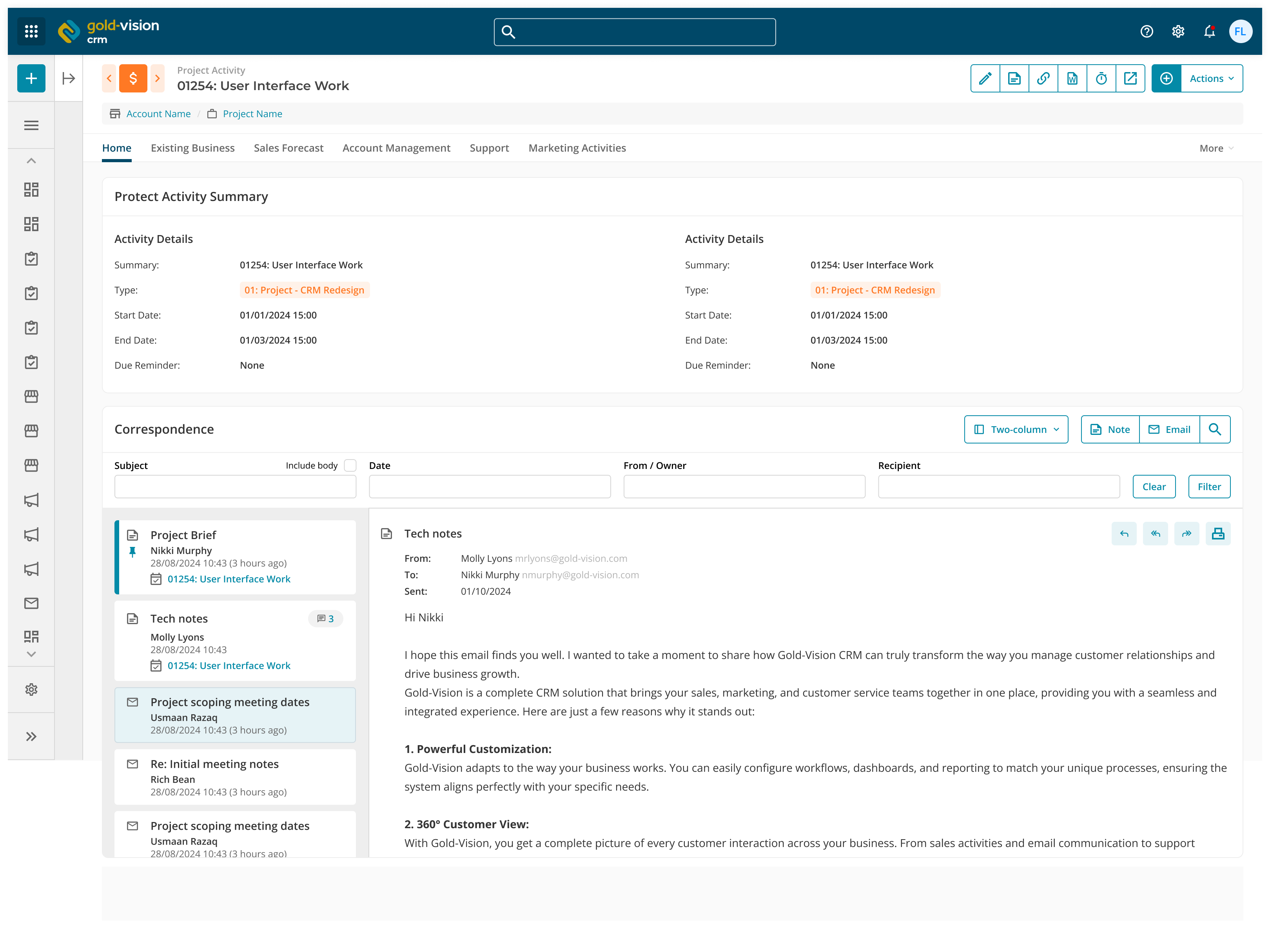
Each user can also choose their own of layout – the list as you’re used to, shown above, and the option to view a two column layout with the note titles to the left and the content of the note on the right hand side:
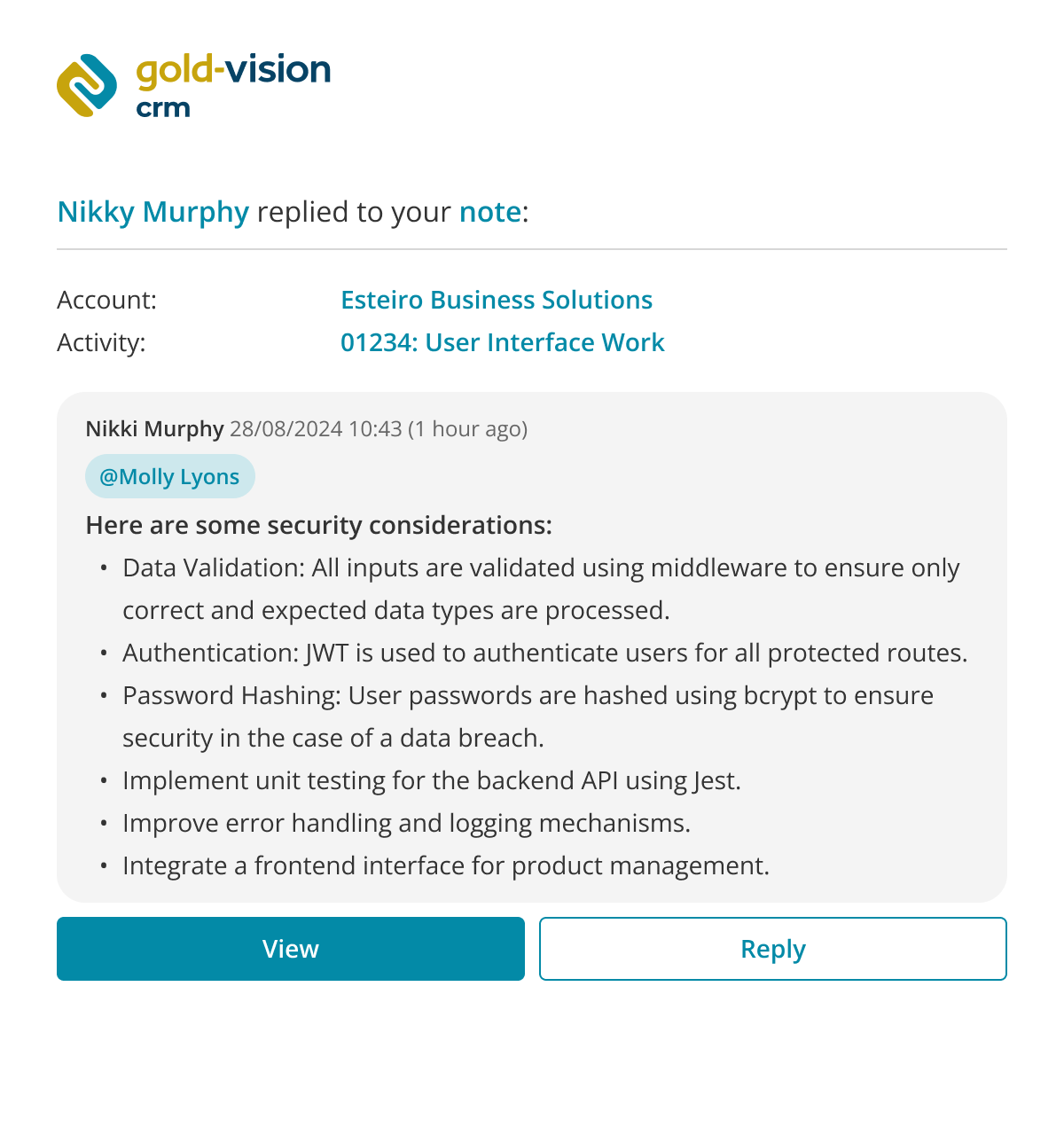
Users will receive newly formatted emails from Gold-Vision and can use the Reply button to go straight back into the CRM and compose their reply.
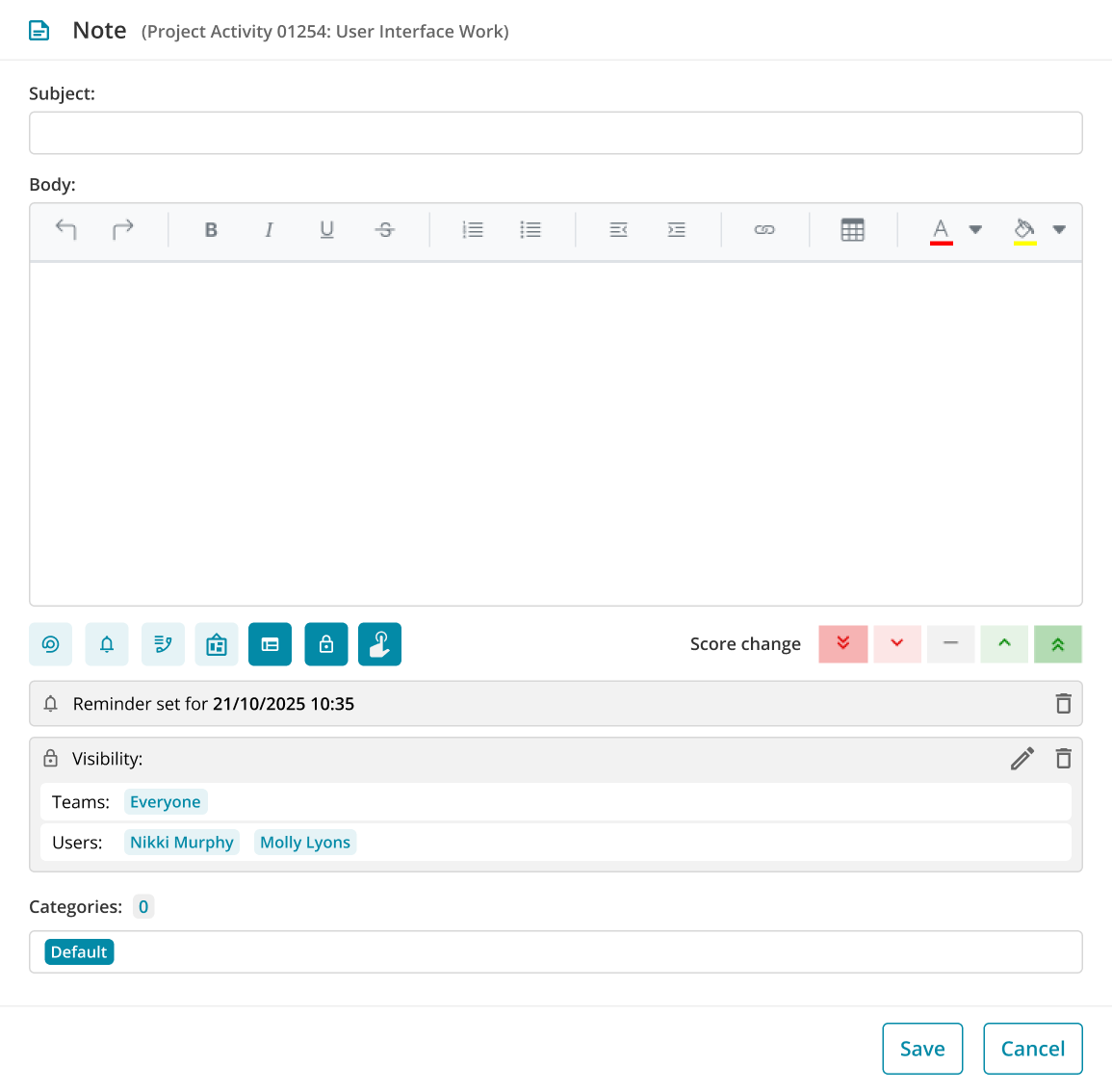
The Note itself will be updated with the options moved from the right hand side into convenient buttons underneath the note, to give you more screen room to read the note itself.
Let us know what you think – will these Notes improvements make your life easier? Or are there other ideas to improve Notes that you may have? Be sure to visit the portal and vote for this item if you’d like us to prioritise it with the Product Team. Each vote counts, so if you feel it would significantly help your business, ask your colleagues to vote too!