
Configuring & using the Asana integration
 Info
Info
Install & Configuration
Asana is installed and configured by a Gold-Vision Solutions Consultant. If you’re interested in purchasing this integration, please get in touch with your Account Manager, or email our Support Team at support@gold-vision.com.
What does the integration do?
The Core version of Gold-Vision’s Asana integration allows you to push items from Gold-Vision to Asana as tasks, and sync updates back again. CRM items that can be pushed into Asana include:
- Accounts
- Projects
- Opportunities
- Activities
Use case example
In this example, the user wants to push Opportunity data into Asana as a task to remind the sales team to do follow-ups.
The Opportunity is created as normal in Gold-Vision, and a tick box is checked called ‘Send to Asana’.
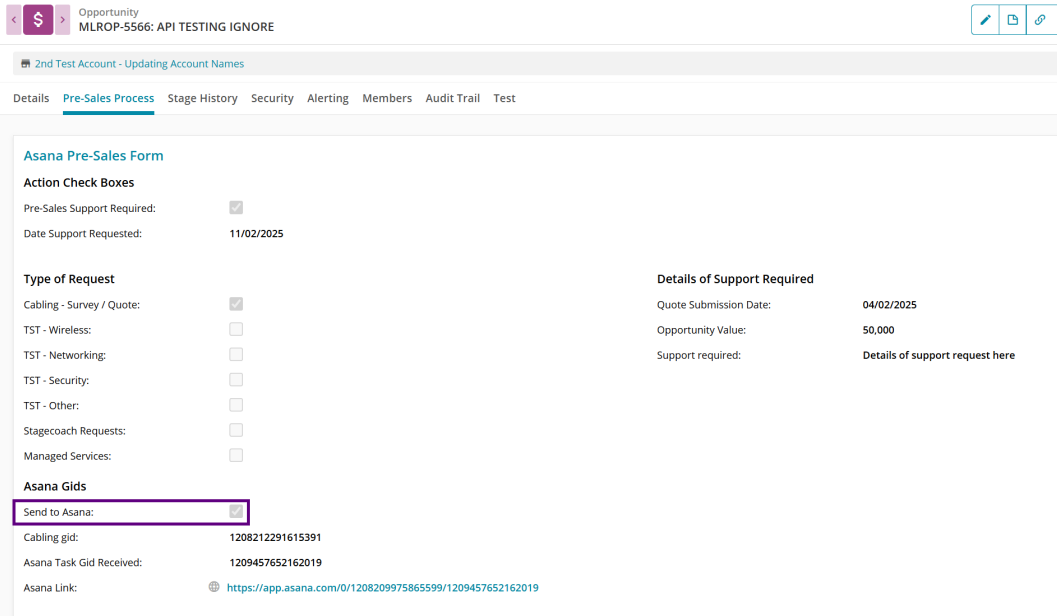
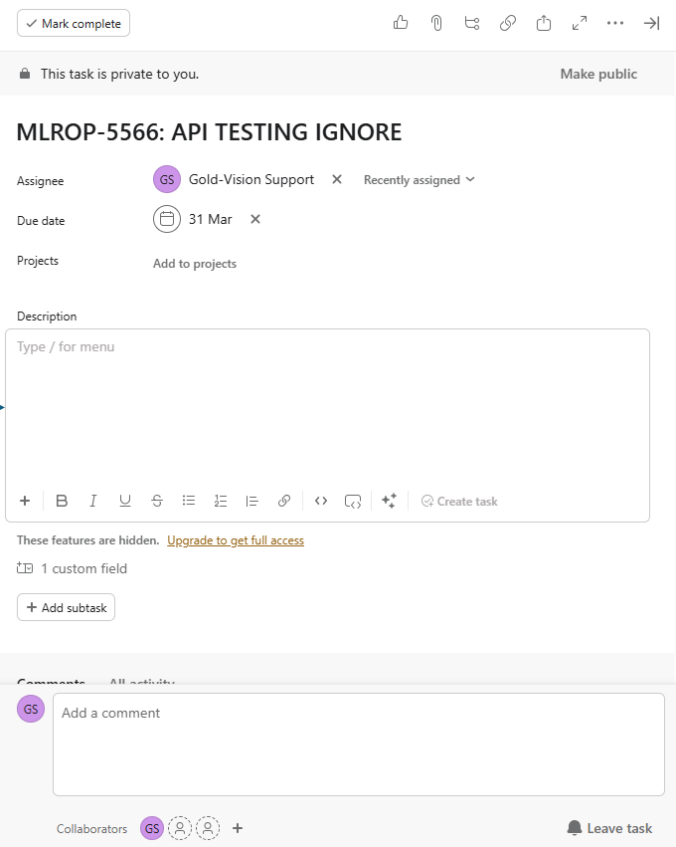
On the Asana side a Task has been created, which includes:
- The task name (taken from the Opportunity summary in Gold-Vision)
- The assignee
- The due date
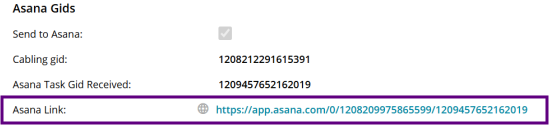
Once the task is created in Asana, the link is then posted back into Gold-Vision:
Info
Is this integration customisable?
In short – yes! The Core version of this integration covers configuration across Accounts, Projects, Opportunities and Activities.
Had something else in mind?
Gold-Vision’s Fuse integrations are customisable through our Professional Services team. If there is something you’d like to see, please get in touch with us here and a member of the team will be in touch!
 Related articles